.png)
Your Website Isn't Converting? Fix These Things First
Not sure where to start fixing a website that isn't converting? Here's the exact order to tackle it, from quickest wins to bigger structural fixes.

If your website isn't converting, fix things in this order: what a visitor sees in the first ten seconds, especially your homepage headline, then one clear action on every page, then proof that makes that action feel safe, and finally speed and mobile experience. Working in order means the biggest blockers get fixed first.
If your website isn't converting, the temptation is to fix everything at once: rewrite the copy, add testimonials, speed up the site, redesign the layout. That's usually a mistake. Fixing five things simultaneously makes it impossible to tell which one actually moved the needle, and some of those fixes matter far more than others.
The order you fix things in matters as much as what you fix. Some problems block every visitor from converting no matter what else is right. Others only matter once the bigger problems are solved. Here's the order we use with our own clients, from the fix that unblocks everything else, down to the one that's worth doing but won't save a broken homepage.
Work through these in order. Don't skip ahead.
Priority One: Fix What a Visitor Sees in the First Ten Seconds
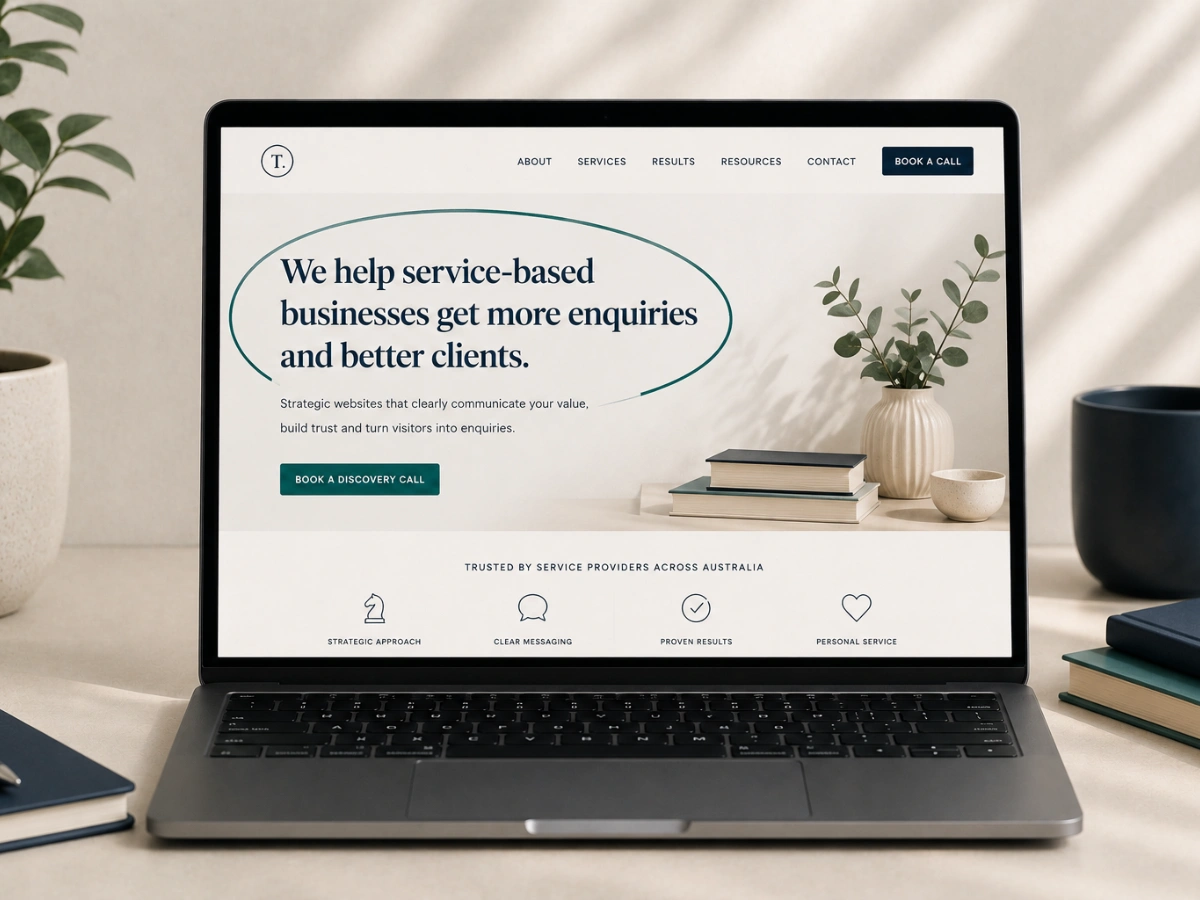
This comes first because nothing else on this list matters if a visitor leaves before reading past your headline. Visitors decide whether to keep reading within a few seconds of arriving, and that decision is based almost entirely on whether your headline tells them who you help and what problem you solve.
Before touching anything else, rewrite your homepage headline and the sentence beneath it so a stranger could read it and repeat back who it's for. Test it on someone outside your industry. If they can't explain it in one sentence, this is still priority one, don't move down the list yet.
Priority Two: Give Every Page One Clear Action
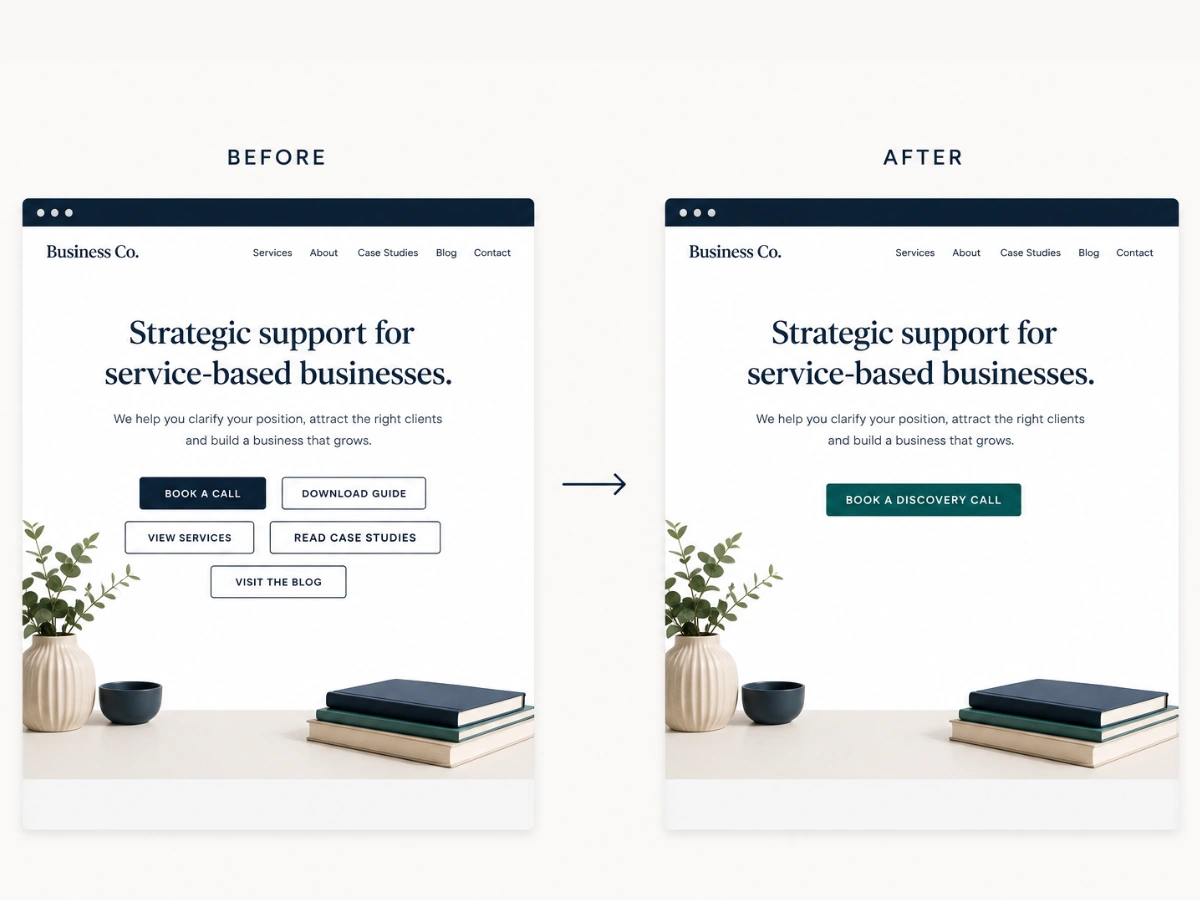
Once positioning is solid, the next block is decision paralysis. A visitor who understands what you do but sees five competing buttons, book a call, download a guide, follow on social, view pricing, read the blog, usually picks none of them.
Go through your top five pages and identify the one action each page should drive. Remove or visually de-emphasise everything competing with it. This is a fast fix, usually an afternoon of work, and it should happen before any of the slower fixes further down this list.
Not sure what your website is actually costing you?
Four Questions. Two minutes
Priority Three: Add Proof That Makes the Action Feel Safe
With positioning and a clear action in place, the next barrier is hesitation. A visitor who understands your offer and knows what to do next will still stall if there's no evidence that other people like them have taken that step and been glad they did.
Add testimonials that mention specific outcomes, not vague praise, and case studies with real numbers wherever they're missing. This matters most on the pages closest to the action you identified in priority two, since that's where hesitation actually costs you the enquiry.
Priority Four: Fix Speed and Mobile Experience
This comes last, not because it doesn't matter, but because it only matters once the first three are solid. A fast, mobile-friendly site with a confusing headline and five competing buttons still won't convert. But once positioning, action, and proof are right, speed and mobile friction become the thing standing between a ready visitor and a submitted form.
Run your site through a free page speed test and check your top pages on an actual phone, not just a browser resize. Fix anything that makes a visitor wait or pinch-zoom to read something. It's the smallest lever on this list, but it's a real one once everything above it is fixed.
The Order at a Glance
- Priority One: Homepage positioning, who you help and what problem you solve, stated above the fold.
- Priority Two: One clear call to action per page, with everything else de-emphasised.
- Priority Three: Testimonials and case studies placed near the action you want visitors to take.
- Priority Four: Page speed and mobile experience, fixed last so it doesn't distract from bigger blockers.
If you're not sure where your own site sits in this order, book a call with Hayley and we'll map out your priority list together.
What Should I Fix First If My Website Isn't Converting?
Fix your homepage positioning first, since it decides whether a visitor stays at all. Then simplify every page to one clear call to action. Only after those two are solid should you focus on trust signals and page speed, since neither matters if visitors have already left.
What should I fix first if my website isn't converting?
Fix your homepage positioning first, because it decides whether a visitor stays at all. Rewrite your headline and the sentence beneath it so a stranger can repeat back who you help and what problem you solve. Then give every page one clear call to action, add specific proof, and fix speed and mobile experience last.
Why shouldn't I fix everything on my website at once?
Fixing everything simultaneously makes it impossible to tell which change actually moved the needle, and some fixes matter far more than others. Some problems block every visitor from converting no matter what else is right, while others only matter once the bigger ones are solved. Working through them in order means the biggest blockers get fixed first.
Does page speed affect website conversions?
Yes, but it matters most once your positioning, calls to action and proof are solid. A fast, mobile-friendly site with a confusing headline and competing buttons still will not convert. Once those are right, slow loading and mobile friction become what stands between a ready visitor and a submitted form. Test your top pages on an actual phone.